-
Shop
- Adidas
- AI Career Advantage Collection
- AI Skills for Creators & Freelancers
- AI Client Management
- AI Ethics
- AI Mindset
- AI Tools & Prompts
- AI Writing & Content Creation
- Audio, Voice & Music
- Design & Visual Creation
- Email, Messaging & Communication
- Freelancing & Business
- Marketing, Ads & Conversion
- Productivity, Workflow & Automation
- SEO & Search Optimization
- Social Media Content & Growth
- Strategy, Planning & Analytics
- Video Creation & Editing
- AI Skills Mastery 2026 Collection
- Apple Accessories
- Best-Sellers
- Business & Digital Skills
- Car Accessories
- Confidence
- Dating & Social Skills
- Digital Resources
- AI & Technology
- Beauty
- Budgeting & Saving
- Car Buying & Ownership
- Entrepreneurship & Business Growth
- Financial Education
- Financial Independence
- Financial Mindset & Psychology
- Goal Setting
- Hobbies
- Home Styling & Organization
- Kitchen & Recipes
- Leadership
- Mindfulness
- Online Business
- Parenting & Child Development
- Personal Style & Fashion
- Pet Lifestyle & Wellness
- Positive Thinking
- Sleep Improvement
- Smart Life with AI
- Stress Management & Relaxation
- Wellness
- Yoga & Mind-Body Practices
- Education & Learning
- Family & Home
- Family & Parenting
- Fashion
- Fashion & Beauty
- Fashion Accessories
- Furniture
- Gadgets
- Health & Beauty
- Health & Wellness
- Home & Garden
- Home Supplies
- Jewelry
- Kids & Babies
- Nike
- Personal Growth
- Personal Growth & Wellness
- Pet Care
- Pet Supplies
- Pets
- Sport & Outdoors
- Super Deals
- Travel
- Travel & Adventure
- Wealth
- Wealth Building
Keep iPhone Lightning Port Clean With a Silicone Cover
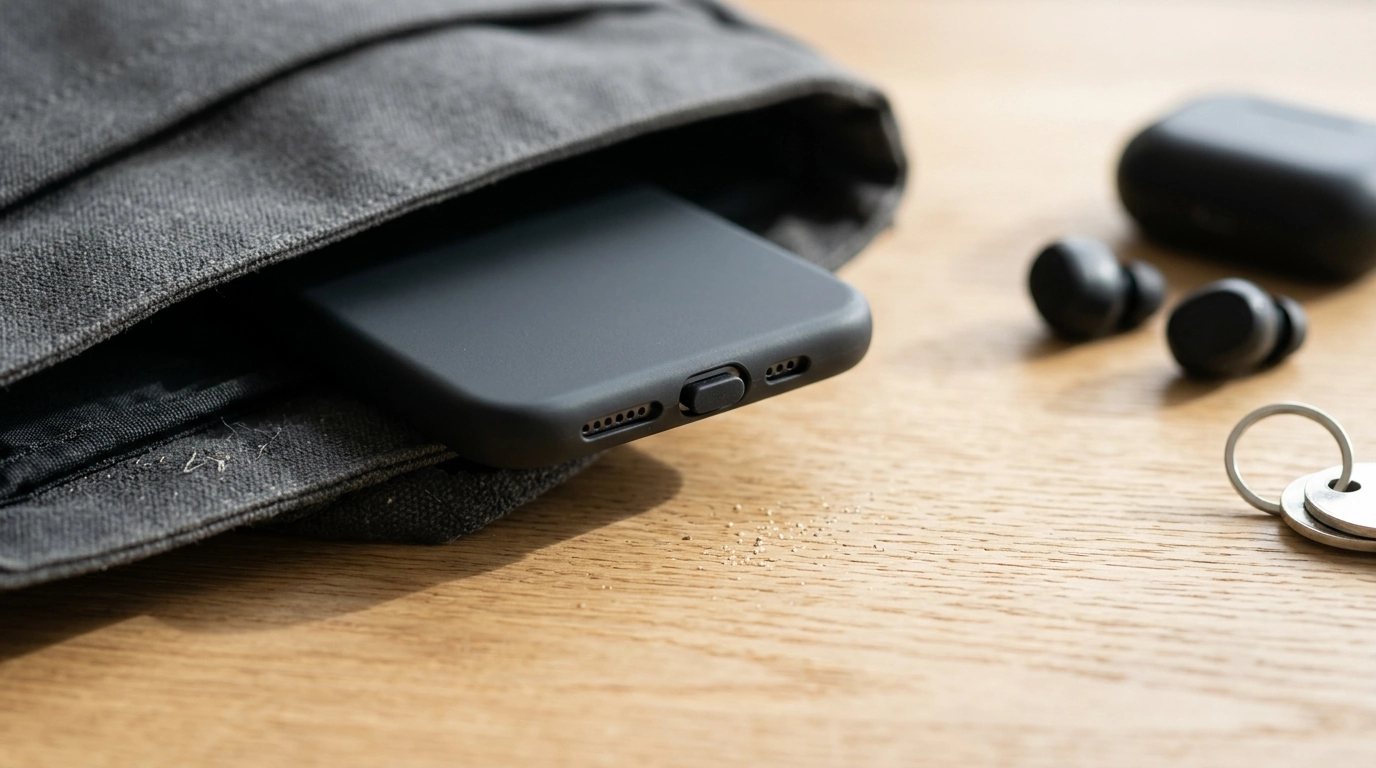
Pocket lint, sand, and everyday debris can collect inside an iPhone’s charging port and interfere with charging or cable fit. A small silicone dust cover helps block contaminants during day-to-day carry, workouts, commutes, and travel—without adding bulk. If your phone spends time in pockets, purses, backpacks, or dusty environments, a simple plug can help keep the Lightning port cleaner between charges.
What a Silicone Charging Port Dust Cover Does
A silicone charging port dust cover is a tiny, low-profile plug that sits in the Lightning port opening. Its job is straightforward: reduce how much dust, lint, and grit gets pushed into the port during normal handling.
- Blocks dust, lint, and grit from entering the Lightning port during regular use
- Helps keep the port cleaner so cables seat more consistently
- Adds a simple barrier during outdoor activities, gym sessions, and travel
- Designed to be removable, reusable, and low-profile
Keeping debris out can also reduce the temptation to “dig” inside the port with sharp objects, which can risk damaging internal contacts. If charging becomes inconsistent, Apple’s support guidance on troubleshooting and cleaning is a good reference point: Apple Support — If your iPhone or iPod touch won’t charge.
When It’s Especially Useful
Some environments practically invite lint and particles into the port. A dust cover is most helpful when your phone is frequently exposed to fibers, grit, or fine debris that can pack tightly into small openings.
- Carrying an iPhone in pockets or bags where fabric fibers and crumbs are common
- Beach days, hikes, construction sites, workshops, or gardening where fine particles are present
- Running or gym sessions where sweat and dust can mix on the device surface
- Keeping a spare cover in a travel kit for flights, road trips, and hotel stays
Even if your iPhone is rated for water resistance, that doesn’t mean pocket lint or sand can’t accumulate in the port over time. Apple notes that resistance can also decrease with wear and isn’t intended as permanent protection: Apple Support — About splash, water, and dust resistance of iPhone.
Fit and Compatibility (Lightning Port iPhones)
This style of dust cover is made specifically for Apple iPhone models that use the Lightning charging port. For the best experience, it should insert smoothly and sit flush—without forcing. A correct fit generally feels secure but not tight enough to distort the silicone.
- Made for Apple iPhone models that use the Lightning charging port
- Should sit flush without forcing; a correct fit won’t feel loose or overly tight
- Case compatibility can vary: very tight cases may press against the cover and dislodge it
- Not intended for USB‑C iPhone models
Quick Compatibility Check
| iPhone port type | Works with this dust cover? | Notes |
|---|---|---|
| Lightning | Yes | Designed to plug into the Lightning port opening |
| USB‑C | No | Choose a USB‑C port cover instead |
| MagSafe-only charging habits | Yes | Still helpful to keep the port clean even if rarely used |
Case fit tip: if your case has a very narrow or deeply recessed port cutout, it may bump the cover when you slide the phone in and out of a pocket. In that situation, a slimmer case opening or a cover designed for recessed cutouts can be a better match.
Comfort and Everyday Use
Silicone is commonly used for small protective accessories because it’s flexible and lightweight. In daily use, a low-profile cover is intended to stay comfortable in hand, avoid snagging on clothing, and disappear into your routine.
- Low-profile silicone is intended to stay comfortable in hand and pocket
- Easy to remove when plugging in a cable; reinsert after charging
- Helps reduce the urge to scrape inside the port with sharp objects
- Useful as an inexpensive add-on for anyone who frequently carries their phone in dusty environments
Care Tips and Safe Port Cleaning
Product Snapshot
If you want a simple, low-cost way to help keep a Lightning port free of lint and grit, the Silicone Charging Port Dust Cover for Apple iPhone is an easy add-on for everyday carry. It’s small enough to keep on the phone full-time (until you need to plug in) and inexpensive enough to stash a spare in a travel pouch.
At-a-Glance Details
| Item | Details |
|---|---|
| Product | Silicone Charging Port Dust Cover for Apple iPhone |
| Price | 2.01 USD |
| Availability | In stock |
| Best for | Keeping the Lightning port free of lint and debris during daily use |
Bundle-Friendly Add-Ons for Work and Travel
For a more complete carry setup, pair a port cover with protective storage. A padded sleeve helps reduce scuffs and dust exposure for your computer when commuting or moving between rooms, cafés, and airports: Laptop Sleeve for MacBook Air/Pro 13–15.6 Inch.
If your phone frequently rides in a larger everyday bag, organizing smaller accessories (like a spare cover) in an interior pocket can make them easier to find when you need them. For carry capacity and daily errands, see: Elegant Casual Leather Tote Bag for Everyday Style.
FAQ
Will this work with an iPhone case?
In many cases, yes—especially with cases that leave the charging port opening unobstructed. Very tight or deeply recessed port cutouts can press on the cover and may make it harder to keep in place.
Is a dust cover necessary if the iPhone is water-resistant?
Water resistance does not prevent pocket lint or sand from packing into the port. A cover can still help reduce debris buildup during everyday carry, especially in pockets, bags, and dusty environments.
How should an iPhone charging port be cleaned safely?
Follow Apple guidance: avoid inserting metal objects and be cautious around the internal contacts. If cleaning is needed, use gentle methods recommended by official support resources to reduce the risk of damage.
Recommended for you
Was this article helpful?
Yes
No








Leave a comment