-
Shop
- Adidas
- AI Career Advantage Collection
- AI Skills for Creators & Freelancers
- AI Client Management
- AI Ethics
- AI Mindset
- AI Tools & Prompts
- AI Writing & Content Creation
- Audio, Voice & Music
- Design & Visual Creation
- Email, Messaging & Communication
- Freelancing & Business
- Marketing, Ads & Conversion
- Productivity, Workflow & Automation
- SEO & Search Optimization
- Social Media Content & Growth
- Strategy, Planning & Analytics
- Video Creation & Editing
- AI Skills Mastery 2026 Collection
- Apple Accessories
- Best-Sellers
- Business & Digital Skills
- Car Accessories
- Confidence
- Dating & Social Skills
- Digital Resources
- AI & Technology
- Beauty
- Budgeting & Saving
- Car Buying & Ownership
- Entrepreneurship & Business Growth
- Financial Education
- Financial Independence
- Financial Mindset & Psychology
- Goal Setting
- Hobbies
- Home Styling & Organization
- Kitchen & Recipes
- Leadership
- Mindfulness
- Online Business
- Parenting & Child Development
- Personal Style & Fashion
- Pet Lifestyle & Wellness
- Positive Thinking
- Sleep Improvement
- Smart Life with AI
- Stress Management & Relaxation
- Wellness
- Yoga & Mind-Body Practices
- Education & Learning
- Family & Home
- Family & Parenting
- Fashion
- Fashion & Beauty
- Fashion Accessories
- Furniture
- Gadgets
- Health & Beauty
- Health & Wellness
- Home & Garden
- Home Supplies
- Jewelry
- Kids & Babies
- Nike
- Personal Growth
- Personal Growth & Wellness
- Pet Care
- Pet Supplies
- Pets
- Sport & Outdoors
- Super Deals
- Travel
- Travel & Adventure
- Wealth
- Wealth Building
Portable USB Voice Recorder: 8GB vs 32GB Guide
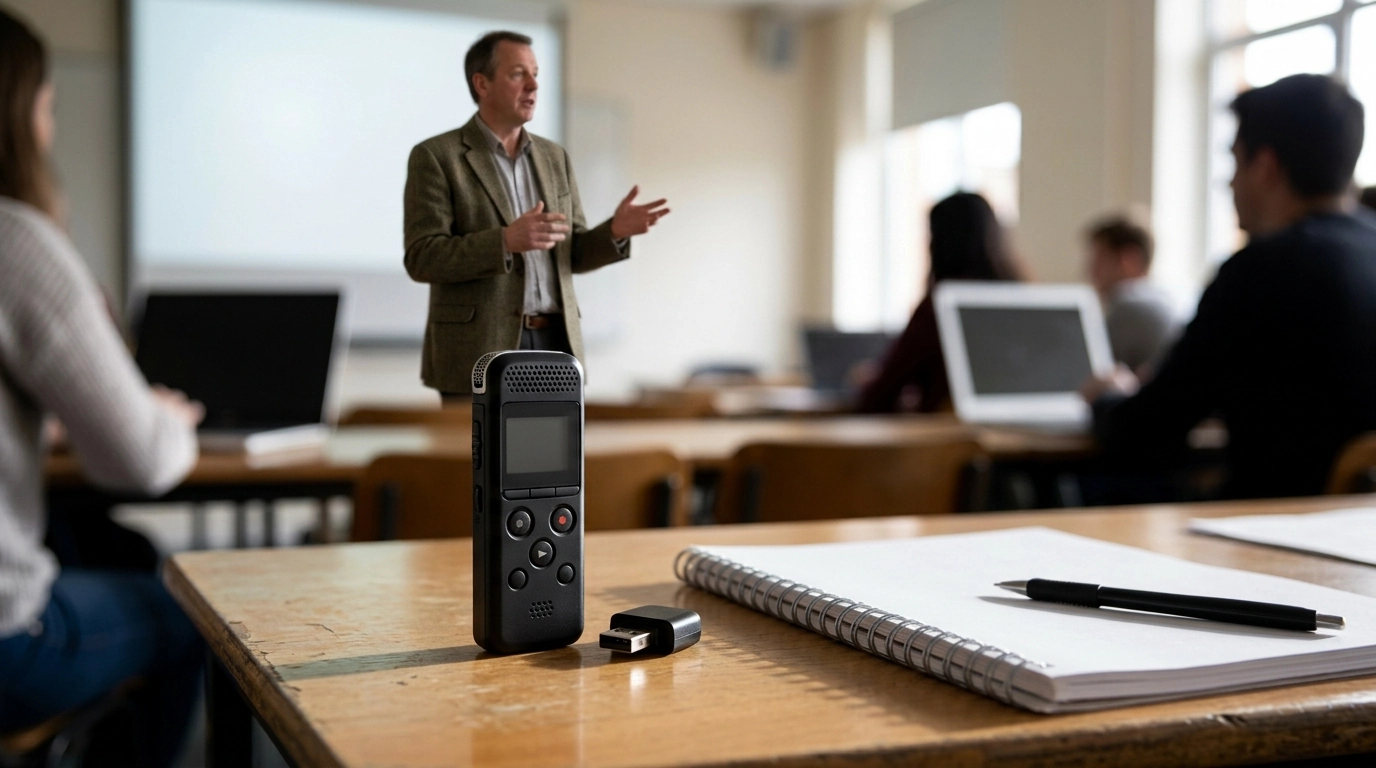
Portable USB Voice Recorder for Everyday Capture
A pocket-size recorder can be the difference between losing an important detail and capturing it clearly. A portable USB voice recorder is built for those moments when you need quick, reliable recording without unlocking a phone, hunting for an app, or worrying about notifications cutting in. With simple controls and easy file transfer to a computer, it fits smoothly into school, work, travel, and home routines—especially when you choose the storage size that matches how often you record.
What This Recorder Is Made For
- Lectures and classes: capture full sessions without relying on a phone battery.
- Meetings and interviews: keep a dedicated device ready for notes, follow-ups, and quotes.
- Personal reminders: record quick voice memos when typing is inconvenient.
- Travel and field notes: lightweight backup for observations, room numbers, and directions.
- Home organization: record to-do lists, shopping lists, and instructions for family members.
Key Features That Matter Day to Day
- Portable form factor: easy to carry in a pocket, pencil case, or small pouch.
- USB connectivity: plug in to move recordings to a computer for archiving or sharing.
- Digital audio capture: more consistent than many app recordings in noisy environments when placed close to the speaker.
- On-device storage choices: pick 8GB for light use or 32GB for frequent/long sessions.
- Simple operation: straightforward controls so recording starts quickly when timing matters.
8GB vs 32GB: Choosing the Right Storage
Storage size affects how often you’ll need to offload files—and whether you can keep recordings on the device between transfers. If you mostly record short voice notes or occasional meetings, smaller storage can feel perfectly comfortable. If you record multiple sessions per week or prefer to archive a lot on-device before organizing later, larger storage reduces the “clean-up pressure” at inconvenient times.
- 8GB suits occasional use: short meetings, reminders, and periodic lectures.
- 32GB suits frequent recording: multiple classes per week, long interviews, or continuous note-taking.
- More storage reduces housekeeping: fewer urgent file deletions when the device fills up.
- Bigger storage helps if files are kept on-device: especially on travel days or during multi-day events.
Storage Size and Practical Use (Typical Scenarios)
| Storage option | Best for | How it feels in daily use | Good habit to pair with it |
|---|---|---|---|
| 8GB | Voice memos, short meetings, occasional lectures | Enough for regular notes if files are transferred weekly | Create a weekly folder on the computer and move files after each week |
| 32GB | Frequent lectures, interviews, multi-day events | More “set it and forget it” capacity between transfers | Label files by date and topic to keep longer archives manageable |
How to Get Clearer Recordings
Even the best recorder benefits from smart placement and a quick check before you commit to a full session. The goal is to capture the speaker clearly at the source, instead of trying to rescue the audio later.
- Distance is everything: place the recorder closer to the speaker rather than trying to “fix it later.”
- Reduce handling noise: set it on a stable surface instead of holding it during long sessions.
- Aim at the sound source: point the microphone area toward the speaker or the front of the room.
- Control the room when possible: close a door, move away from air vents, and avoid table tapping.
- Do a 10-second test: verify volume and clarity before the real recording begins.
File Transfer and Organization Tips
A good workflow keeps important audio from getting lost in a jumble of unnamed files. The simplest approach is to transfer, label, and back up right after anything that matters.
- Transfer after important sessions: copy files to a computer to avoid accidental deletion or running out of space.
- Name recordings consistently: use a format like YYYY-MM-DD_topic_location for quick searching.
- Keep a backup: store critical recordings in a second location (external drive or cloud storage).
- Convert and share only when needed: keep original files for archiving and export copies for editing/sharing.
- Document consent: for interviews or meetings, keep a note of permissions alongside the recording file.
When a Dedicated Recorder Beats a Phone
Responsible and Legal Use
For general privacy guidance, see the Federal Trade Commission’s consumer privacy resources. For background on U.S. electronic communications privacy concepts, the Cornell Law School overview of the ECPA is a helpful starting point.
Product Spotlight
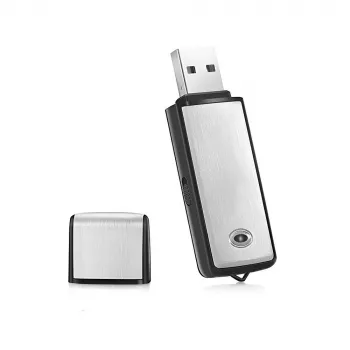
If you want a compact, straightforward option for everyday capture and easy computer transfer, consider the Portable USB Voice Recorder & Digital Audio Sound Recorder with 8GB/32GB Storage. It’s a practical fit for students, professionals, and anyone who prefers a dedicated recorder over relying on a phone.
To round out a mobile setup, a protective sleeve can help keep your laptop safe during commutes when you’re transferring and organizing recordings: Laptop Sleeve for MacBook Air/Pro 13–15.6 Inch. And for everyday device care, a small accessory like the Silicone Charging Port Dust Cover for Apple iPhone can help reduce pocket lint buildup around charging ports.
FAQ
Is it legal to record a conversation or meeting?
Laws vary by location, and some places require one-party consent while others require all-party consent. When unsure, ask for permission and follow workplace, school, or venue policies to avoid problems.
How much recording can 8GB or 32GB hold?
It depends on the audio format and recording settings, but the practical difference is workflow: 8GB is typically comfortable for occasional voice notes and periodic sessions, while 32GB is better for frequent or longer recordings. Regularly transferring files to a computer helps prevent running out of space.
What’s the best placement for recording a lecture clearly?
Place the recorder as close to the speaker as possible—near the front of the room if allowed—and set it on a stable surface to reduce handling noise. Avoid vents and table tapping, and record a quick 10-second test clip to confirm clarity before the lecture begins.
Recommended for you
Was this article helpful?
Yes
No






Leave a comment