-
Shop
- Adidas
- AI Career Advantage Collection
- AI Skills for Creators & Freelancers
- AI Client Management
- AI Ethics
- AI Mindset
- AI Tools & Prompts
- AI Writing & Content Creation
- Audio, Voice & Music
- Design & Visual Creation
- Email, Messaging & Communication
- Freelancing & Business
- Marketing, Ads & Conversion
- Productivity, Workflow & Automation
- SEO & Search Optimization
- Social Media Content & Growth
- Strategy, Planning & Analytics
- Video Creation & Editing
- AI Skills Mastery 2026 Collection
- Apple Accessories
- Best-Sellers
- Business & Digital Skills
- Car Accessories
- Confidence
- Dating & Social Skills
- Digital Resources
- AI & Technology
- Beauty
- Budgeting & Saving
- Car Buying & Ownership
- Entrepreneurship & Business Growth
- Financial Education
- Financial Independence
- Financial Mindset & Psychology
- Goal Setting
- Hobbies
- Home Styling & Organization
- Kitchen & Recipes
- Leadership
- Mindfulness
- Online Business
- Parenting & Child Development
- Personal Style & Fashion
- Pet Lifestyle & Wellness
- Positive Thinking
- Sleep Improvement
- Smart Life with AI
- Stress Management & Relaxation
- Wellness
- Yoga & Mind-Body Practices
- Education & Learning
- Family & Home
- Family & Parenting
- Fashion
- Fashion & Beauty
- Fashion Accessories
- Furniture
- Gadgets
- Health & Beauty
- Health & Wellness
- Home & Garden
- Home Supplies
- Jewelry
- Kids & Babies
- Nike
- Personal Growth
- Personal Growth & Wellness
- Pet Care
- Pet Supplies
- Pets
- Sport & Outdoors
- Super Deals
- Travel
- Travel & Adventure
- Wealth
- Wealth Building
Waterproof Laptop Sleeve Cover for MacBook 13–15.6″
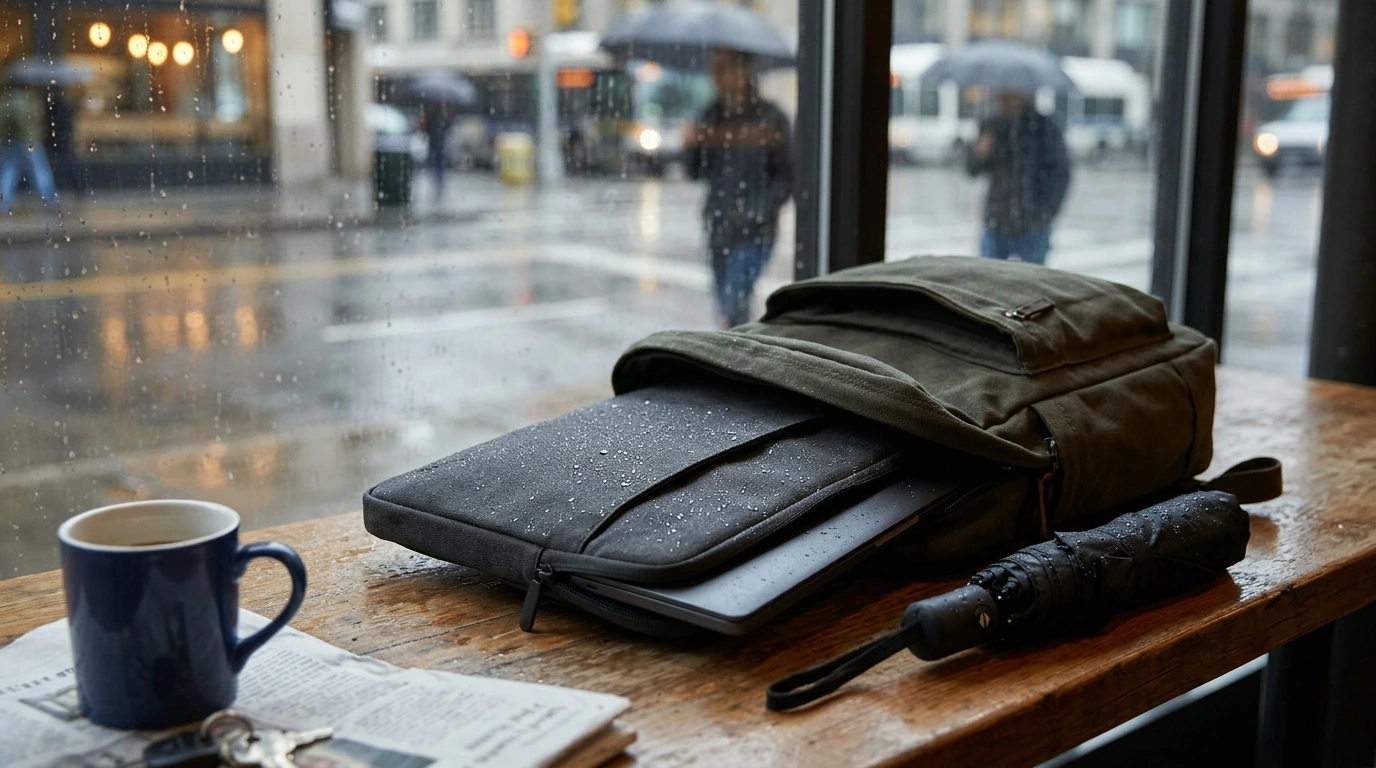
Waterproof Laptop Bag Cover for MacBook Air/Pro 13–15.6 Inch Notebook Sleeve
A lightweight protective cover can be the difference between a worry-free commute and an unexpected spill or rain shower. This waterproof laptop bag cover is designed to fit popular MacBook Air/Pro sizes and many 13–15.6 inch notebooks, adding a simple barrier against moisture, scratches, and everyday bumps. It’s a practical add-on for anyone who carries a laptop between home, school, the office, and coffee shops—especially when the forecast can’t make up its mind.
What This Laptop Cover Is Made to Do
- Helps shield a laptop from rain splashes, minor spills, and damp surfaces during travel.
- Adds a layer of scratch protection when sliding a laptop into a backpack or tote.
- Provides a simple, slim solution for students, commuters, and coffee-shop workdays.
- Works as a standalone sleeve or as an extra liner inside a larger bag.
For everyday carry, the goal is straightforward: reduce the little risks that add up—wet sidewalks, condensation on café tables, a water bottle that sweats inside a backpack, or the constant friction of zippers and keys. A waterproof-focused cover is especially helpful when your laptop gets moved frequently rather than staying parked on a desk.
Fit and Size Guidance (MacBook Air/Pro and 13–15.6 Inch Laptops)
Getting the size right matters as much as the material. Screen size (13-inch, 14-inch, 15-inch, 15.6-inch) is a starting point, but the most reliable method is matching the laptop’s physical dimensions—width, depth, and thickness—to the sleeve’s stated capacity.
- Match the sleeve size to the laptop’s screen class and confirm the device’s physical dimensions for a comfortable fit.
- A slightly snug fit helps reduce shifting and corner scuffs; too-tight fit can stress zippers or seams and may be difficult to insert/remove.
- If a hard shell case is installed on the laptop, consider sizing up to avoid an overly tight fit.
- For best results, measure width, depth, and thickness (especially for thicker non-Mac notebooks).
If you’re checking Apple models, these official spec pages can help confirm exact dimensions before choosing a sleeve size: MacBook Air (13-inch) technical specifications, MacBook Pro (13-inch) technical specifications, and MacBook Pro (14-inch and 16-inch) technical specifications.
Quick Fit Checklist
| Check | Why it matters | What to do |
|---|---|---|
| Laptop dimensions | Ensures the sleeve closes without pressure | Compare device width/depth/thickness to the sleeve’s stated size range |
| Extra accessories | Chargers and hubs add bulk | Choose a sleeve that allows a little room if storing small items |
| Hard case on laptop | Adds thickness and edge width | Consider the next size up if the sleeve is tight |
| Closure alignment | Prevents zipper/edge stress | Confirm the laptop sits flat and closes smoothly |
Water Resistance in Real-World Use
- Designed to reduce the chance of moisture reaching the laptop during light rain, splashes, and brief contact with wet surfaces.
- Not intended for submersion; standing water and prolonged exposure can eventually seep through seams or openings.
- For heavy rain commutes, pair with a waterproof backpack cover or keep the sleeve inside a water-resistant bag.
- After exposure to rain, wipe down the exterior and allow it to air-dry fully before storing the laptop long-term.
“Waterproof” in daily carry usually means protection against the kinds of water events that happen in motion—walking from the car to the building, a quick dash across a rainy street, or setting the sleeve on a slightly damp surface. It’s still smart to keep openings pointed upward, avoid pooling water, and never assume a sleeve replaces a sealed dry bag.
Protection Beyond Waterproofing
- Helps reduce cosmetic wear from daily handling (desk edges, backpack interiors, and seatback pockets).
- Supports basic impact protection against minor bumps; for frequent travel, keep the laptop away from heavy items like water bottles and textbooks.
- Useful for keeping dust off during storage and protecting the finish from small abrasions.
Everyday Scenarios Where It Helps Most
Comparison: Waterproof Cover vs. Standard Sleeve
Feature Comparison
| Feature | Waterproof cover | Standard sleeve |
|---|---|---|
| Rain/splash protection | Better suited for wet conditions | Limited; may absorb moisture |
| Scratch protection | Yes | Yes |
| Bulk/weight | Typically slim | Varies; can be slim or padded |
| Best for | Commuting, travel, cafés | Home/office storage and light carry |
Care and Maintenance
Product Options Available
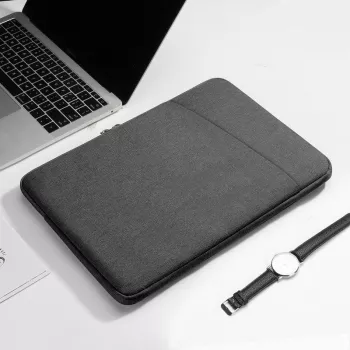
If you want an everyday sleeve that’s designed for unpredictable weather, start here: Waterproof Laptop Bag Cover for MacBook Air/Pro 13-15.6 Inch Notebook Sleeve. For a simpler, non-waterproof option that focuses on scratch prevention and basic carry, consider: Laptop Sleeve for MacBook Air/Pro 13–15.6 Inch.
FAQ
Will this fit a 15.6-inch Windows laptop as well as a MacBook?
It can, but the best indicator is the laptop’s physical dimensions and thickness, not just screen size. Measure width, depth, and thickness and compare them to the sleeve’s supported range, since many 15.6-inch Windows laptops are thicker than a MacBook.
Is it fully waterproof or just water-resistant?
It’s designed to help protect against splashes and light rain, but it’s not meant for submersion or prolonged exposure to water. Over time, seams and closures are the most common areas where water can seep in during heavy or extended wet conditions.
Can the sleeve go inside a backpack?
Yes, it works well as an inner liner inside a backpack or tote. For best results, keep liquids in a separate area of the bag and place the laptop in a dedicated compartment to reduce pressure from other items.
Recommended for you
Was this article helpful?
Yes
No






Leave a comment